
Court Scheduling & Calendars
Run every event, hearing, and appointment from one calendar: the core record that drives every reminder. Publish court calendars and dockets, let the public self-schedule against your rules, and coordinate in-person, virtual, and hybrid hearings.
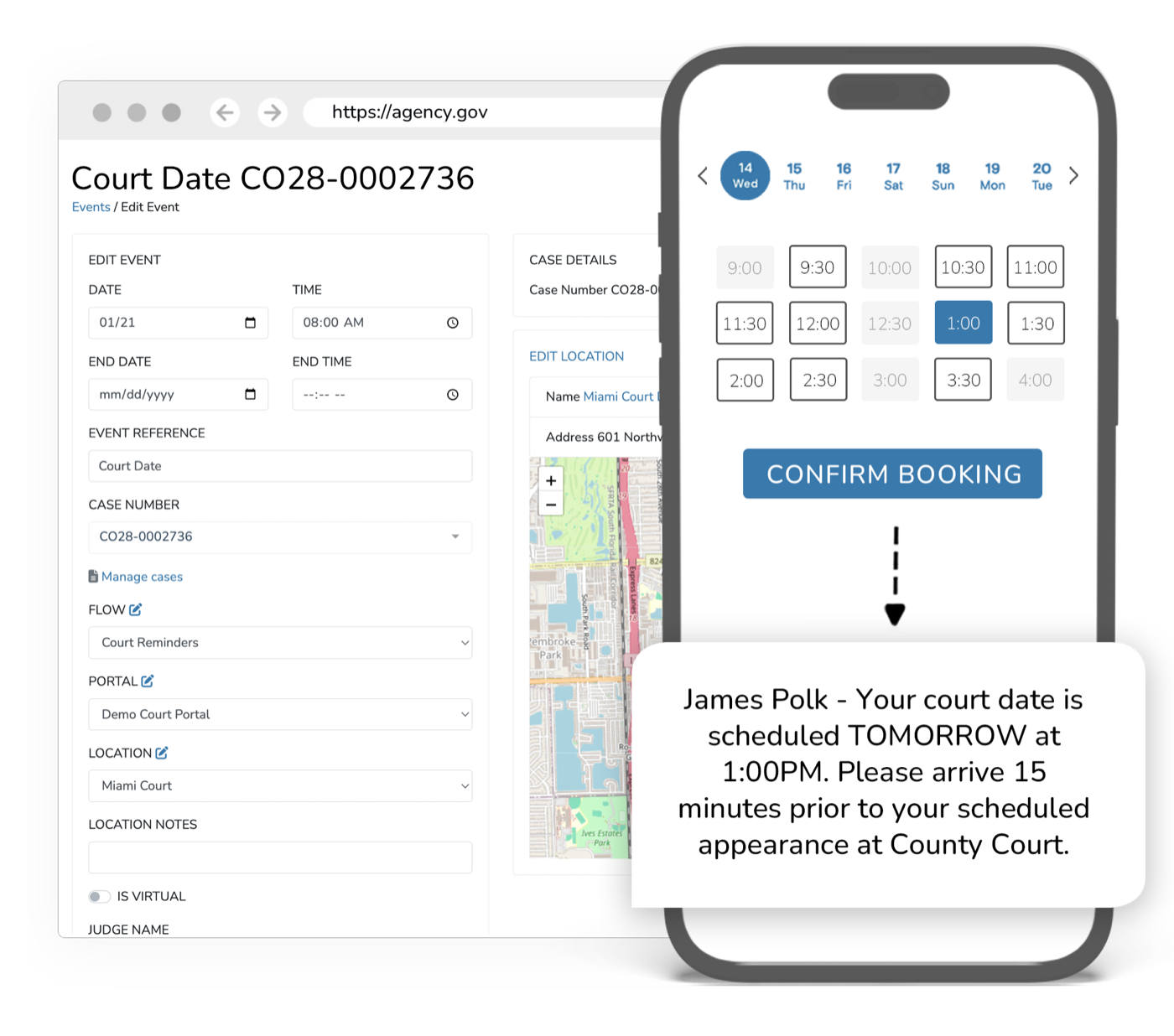
The calendar is the heart of the court, and usually the most manual part.
Events and hearings are the record everything else hangs on: reminders, check-ins, jury panels, supervision. When scheduling lives in spreadsheets and phone calls, double-bookings, missed dates, and rescheduling churn follow. A unified calendar makes every event a connected record the rest of the platform can act on automatically.
What it does
Every capability inside Scheduling & Calendars: built in, configurable, and connected to the rest of the platform.
Events & Hearings
The core record: in-person, virtual, and hybrid events that drive reminders, check-ins, and outcomes across the platform.
Court Calendars & Dockets
Build and publish court calendars and dockets by judge, division, and location.
Self-Scheduling
Let the public book and reschedule appointments and hearings against your rules and availability.
Appointment Reminders
Every scheduled event automatically triggers multi-channel reminders through Messaging.
Virtual-Ready Events
Schedule in-person, virtual, or hybrid events. Virtual sessions launch in Virtual Hearings & Meetings.
Calendar Sync
Two-way sync with Google Calendar and Outlook keeps staff calendars current.
Per-Location Scheduling
Configure availability, rules, and capacity per location and resource.
Outcomes
One
Calendar for events, hearings, and appointments
↓
Double-bookings and rescheduling churn
Auto
Reminders fired from every scheduled event
Scheduling & Calendars inherits the whole platform
Security, accessibility, configurability, and language access are not add-ons. Every product runs on the same government-grade foundation.
Security & Compliance
CJIS, FIPS 140-3, AWS GovCloud, SSO, and complete audit trails.
Accessibility
WCAG 2.2 AA, ADA, and Section 508 across every interface.
Configurability
Per-jurisdiction rules, templates, branding, and role-based access.
Language Access
100+ languages with automatic detection on every channel.
Works with what you already run
Scheduling & Calendars syncs bi-directionally with your case management system. It connects, it doesn’t replace.
Explore more of the platform
Every product shares the same data, security, and integrations. Add one and it’s already connected.
Virtual Hearings & Meetings
Native, browser-based video for magistration, hearings, and live check-ins. No downloads for anyone, plus Zoom, WebEx, and Teams.
Learn moreJury Management
Run the juror lifecycle end to end: source lists and the jury wheel, summons, qualification, deferrals, panel draws, voir dire, attendance, and juror pay.
Learn moreTime Tracking & Compensation
Third parties check in and out from a portal, you set the rates and rules, and timesheets and compensation reports generate themselves.
Learn more
Scheduling & Calendars questions, answered
What does eCourtDate scheduling manage?
Can the public schedule and reschedule their own appointments?
Does eCourtDate sync with the calendars our staff already use?
Is eCourtDate scheduling secure and fully cloud-based?
See Scheduling & Calendars in action
Get a demo tailored to your agency: the product, the integrations, and the security in one session.