
Electronic Filing for Courts
Take the whole filing path off the counter. Attorneys, agencies, and self-represented filers submit from any device at any hour, validation catches problems before a clerk ever sees them, fees and waiver requests travel with the filing, and clerks accept, return for correction, or reject in one pass. Accepted filings docket to the case record, serve every party, and route proposed orders to chambers for signature.
See the job it does: Filing Operations →
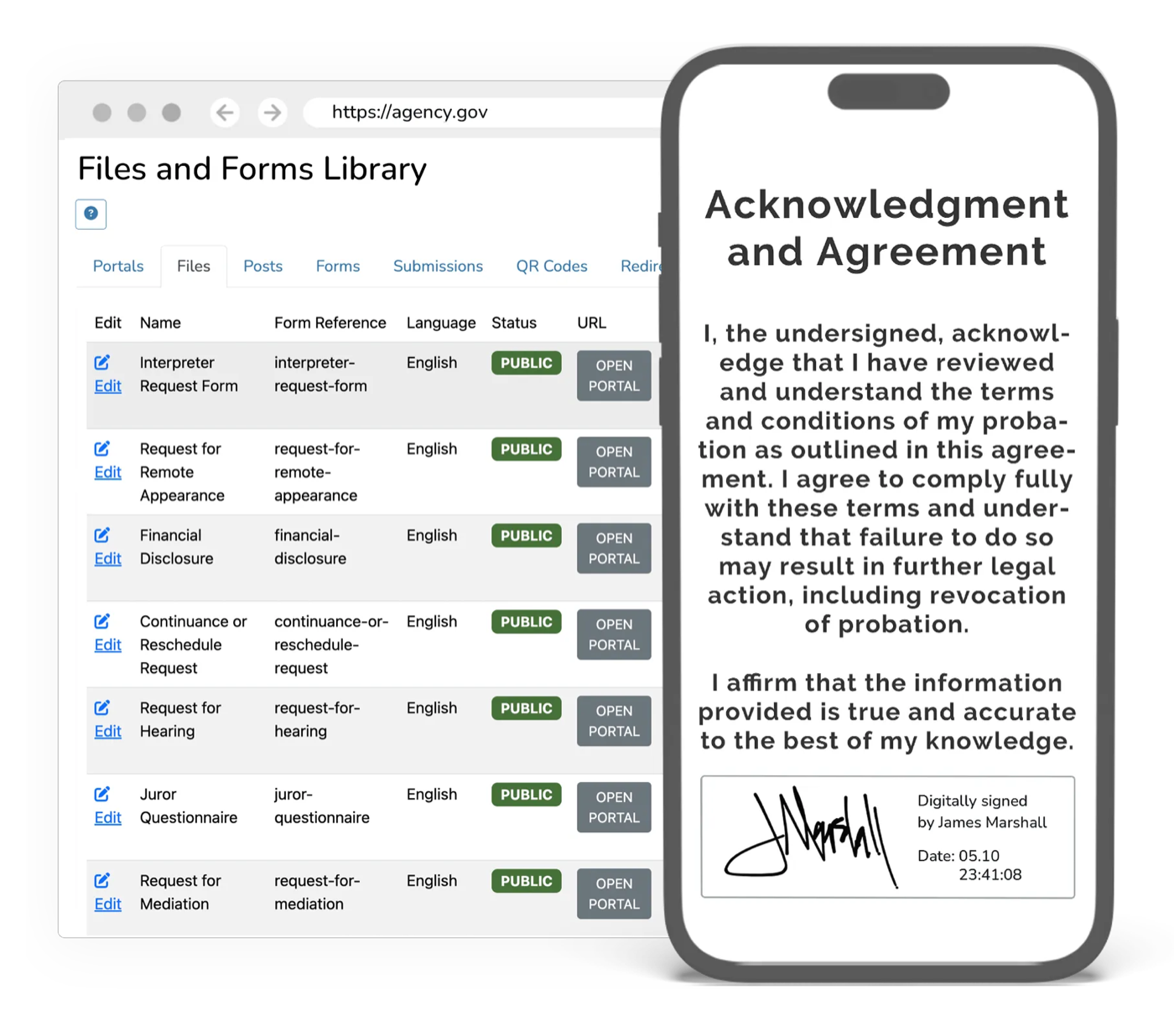
The filing counter sets the pace of the whole docket.
A document does not join the record when it arrives. It waits to be date-stamped, checked, sorted, keyed in, and served, and when something is wrong the filer finds out days later, sometimes after the deadline has passed. Meanwhile the counter closes at 4:30, staff answer status calls about filings sitting in a pile, and every accepted document gets typed into the case system a second time. Electronic Filing moves the whole path online: filers submit at any hour and learn what is wrong before they submit, clerks review in one pass, and accepted filings docket, serve, and sync on their own.
What it does
Every capability inside Electronic Filing: built in, configurable, and connected to the rest of the platform.
Registered Filers & Firm Accounts
Attorneys, firms, agencies, and self-represented filers each get an account with the roles your court recognizes, including firm administrator, filing agent, and attorney of record. Bar numbers, service contacts, and shared payment accounts live on the account, so a filer sets up once and files on every case.
Guided Submission for Any Filer
Case initiation and subsequent filings run through the same flow: choose the filing code, attach the lead document and its exhibits, and submit from any device. Self-represented filers get plain-language steps in 100+ languages, and drafts save as they go so a long filing is never lost.
Validation, Redaction & Confidential Filings
Every submission is checked before it reaches a clerk: completeness, required fields, format and size limits, signature blocks, and the right case type and division. Confidential and sealed filings are flagged at submission, and personal identifiers are caught for redaction before a document reaches public access.
Clerk Review, Rejection & Correction
Clerks work one queue and accept, return for correction, or reject with a standard reason the filer can act on. A correction comes back on the same submission with the original timestamp still on the record, so nobody reconstructs a filing’s history out of email.
Fees, Waivers & Refunds
Filing fees compute from the filing code and case type and are collected at submission through GovPayPlan. Fee-waiver requests route with the filing instead of requiring a separate counter visit, and fees on a rejected filing are released rather than held.
24/7 Intake, Timestamps & Deadlines
Filings are accepted at any hour and stamped at the moment of submission, with your court’s closure and holiday calendar applied to the deadline. Submitted, reviewed, and accepted times each stay on the record, so a deadline question is answered from the file instead of from memory.
eService & Notices
Service goes out with the filing to the service contacts on the case, and the certificate of service lands on the record. Every party gets a notice of electronic filing, and filers hear about acceptance, correction, or rejection on the channel they chose, so the status call never happens.
Proposed Orders & Judicial Signature
Proposed orders route to chambers with the filing that prompted them. The judge reviews and signs electronically, the signed order posts to the docket, and every party is notified, without the order taking a lap through the clerk’s office on paper.
Docketing & Case Record Sync
Accepted filings docket to the case record with the docket code, parties, and judge assignment already attached, and sync bi-directionally with Tyler Technologies, Journal Technologies, or your other system by REST API. Nothing is typed a second time.
Enhanced by AI Detection
Flag AI-generated filings, fabricated citations, and synthetic evidence for human review before they enter the record.
From data to outcome, automatically
- 01
File from any device
The filer signs in, picks the filing code, attaches the lead document and exhibits, and submits at any hour. Guided plain-language steps keep self-represented filers on the right form and in the right division.
- 02
Check before the queue
eCourtDate validates completeness, format, signatures, and case type, flags confidential material for redaction, and either computes the fee or routes the waiver request with the filing.
- 03
Clerk review in one pass
Clerks accept, return for correction, or reject with a reason code the filer can act on. Corrections come back on the same submission with every timestamp preserved.
- 04
Docket, serve, and notify
Accepted filings post to the case record and sync to your case management system, parties are served with a certificate on the record, and proposed orders route to chambers for signature.
Outcomes
Weeks
Off filing-to-acceptance time
24/7
Intake, with the file-stamp set at the moment of submission
0
Documents re-keyed into the case record
Electronic Filing inherits the whole platform
Security, accessibility, configurability, and language access are not add-ons. Every product runs on the same government-grade foundation.
Security & Compliance
CJIS, FIPS 140-3, AWS GovCloud, SSO, and complete audit trails.
Accessibility
WCAG 2.2 AA, ADA, and Section 508 across every interface.
Configurability
Per-jurisdiction rules, templates, branding, and role-based access.
Language Access
100+ languages with automatic detection on every channel.
Works with what you already run
Electronic Filing syncs bi-directionally with your case management system. It connects, it doesn’t replace.
Take filings off the counter
Move every filing from submission to docketed, served, and on the record, without a clerk re-keying it or a filer waiting days to learn something was wrong.
Explore more of the platform
Every product shares the same data, security, and integrations. Add one and it’s already connected.
Electronic Warrants
A complete warrant system: prepare, route, swear in, e-sign, serve, and track, with a permanent chain of custody.
Learn moreElectronic Citations
Issue citations paperlessly from the field with real-time case-system sync and payment links.
Learn moreMagistration
Run the full first-appearance workflow on one record: arrest intake, the magistration hearing, bail decisions, protective orders, and counsel appointment, configured to your county.
Learn more
Electronic Filing questions, answered
What does eCourtDate Electronic Filing cover?
What happens when a filing is rejected?
Can filers submit after hours and on weekends?
Does eCourtDate serve the other parties, or do we still do that separately?
How does eCourtDate help self-represented filers?
How do filing fees and fee waivers work?
Can judges sign proposed orders in the same workflow?
How are confidential and sealed filings protected?
Will filed documents sync with the case management system we keep?
See Electronic Filing in action
Get a demo tailored to your agency: the product, the integrations, and the security in one session.